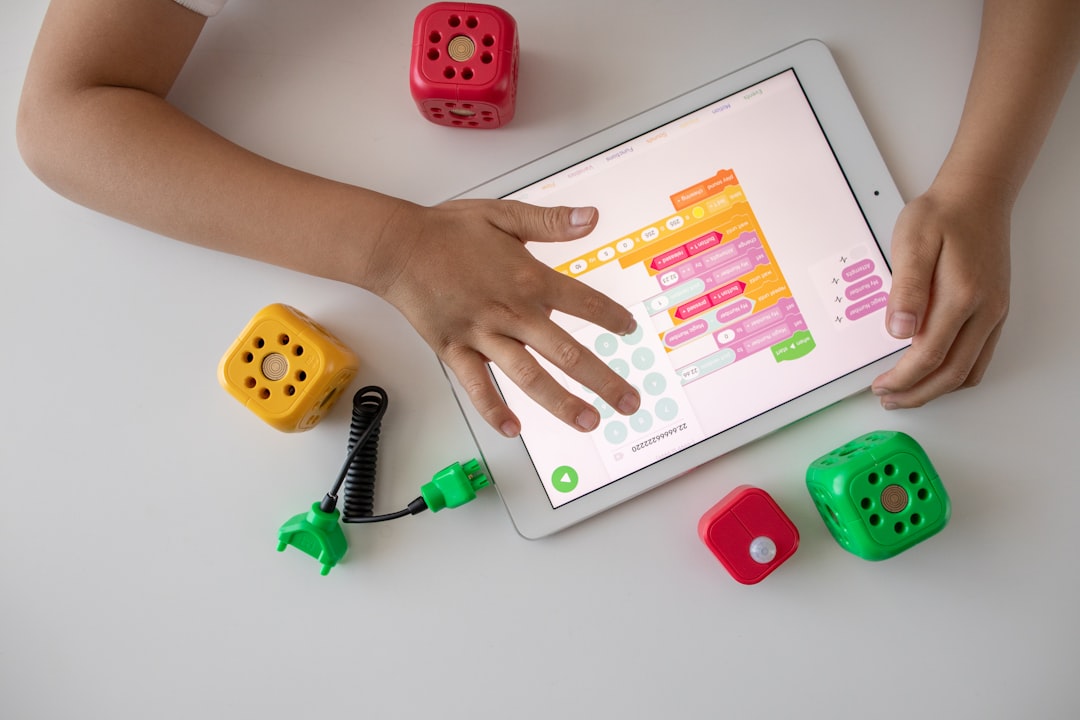
How to Turn Screen Time Into Productive STEM Learning
Screen time doesn’t have to be passive. With intentional choices and the right tools, digital hours can become hands-on STEM learning that builds skills in coding, engineering, math and science.
This guide gives a practical roadmap—goal setting, recommended devices and kits, project ideas, and routines—to help parents and educators convert screen-based habits into measurable learning. Browse the curated category at StemParade to match ideas below with real products.
Set clear goals and measure progress
Start by defining what “productive” means for your child: coding basics, problem-solving, physics understanding, or preparing for advanced math. Turn vague goals into specific, time-bound targets (example: “complete three microcontroller projects that use LEDs and sensors in six weeks” or “build and document one small robotics project per month”). Use short check-ins—weekly logs or short video demos—to track progress and keep motivation high.
Microcontrollers for hands-on coding
Microcontrollers are ideal for turning code on a screen into physical outcomes (lights, sound, motion). For beginners, starter kits provide sensors, motors, breadboards and step-by-step tutorials. A focused microcontroller kit lets learners debug code, iterate rapidly, and see cause-and-effect in real time: a core scientific thinking habit. Consider kits from the microcontroller category to match skill level and age: Microcontroller Starter Kits.
Raspberry Pi projects that mix media and engineering
Raspberry Pi boards scale screen-based learning toward computing, electronics and media projects—home automation, timelapse cameras, simple servers and game design. They bridge software and hardware and introduce learners to operating systems, networking and file systems. Choose a starter pack with clear tutorials if you’re new to single-board computers: Raspberry Pi Starter Kits.
Explore biology and chemistry with microscopes
Turn a tablet or laptop into a field lab by pairing cameras with microscopes to capture, annotate and share observations. Digital imaging encourages careful observation, measurement and hypothesis testing—lessons that translate across STEM. For school-age learners, choose student-friendly scopes that balance magnification with durability and simple camera connectivity: Student Microscopes.
Bring the sky indoors: astronomy and simulations
Astronomy apps and planetarium software are engaging, but physical models and projectors deepen spatial reasoning and make abstract concepts tangible. Use a planetarium projector or a scale solar system model alongside an app to compare simulated star fields to real-time observations. Combining screen resources with tactile models improves retention and curiosity: consider enhancing lessons with a Planetarium Projectors.
Improve math fluency with visual and interactive tools
Graphing and visual tools accelerate understanding of functions, geometry and statistics. A good graphing calculator paired with screen-based plotting apps helps learners check work, test scenarios and build intuition for slopes, areas and transformations. For structured learning and exams prep, integrate a reliable graphing calculator into practice sessions: Graphing Calculators.
Robotics and engineering pathways
Robotics kits create a clear loop from code to physical behavior, ideal for iterative design thinking. Age-appropriate robotics sets let learners assemble mechanisms, program routines, and troubleshoot wiring and logic. For a progressive challenge that supports dozens of projects and scales with skill, check out comprehensive robotics kits that include sensors, motors and lessons: Butterfly EduFields 70+ STEM Robotic Projects Kit.
Design project workflows that mix screen and hands-on time
Effective learning blends planning, screen work and physical testing. Example workflow:
- Plan: 15–20 minutes on-screen—research, sketch, write pseudocode or draw a circuit.
- Build: 30–60 minutes hands-on—assemble, wire, 3D-print or cut components.
- Test: 15–30 minutes—run code, record results, take photos or video through a connected scope or camera.
- Reflect: 10–15 minutes—log outcomes, adjust design, list next steps.
Practical routines and parental strategies
Turn ad-hoc screen sessions into weekly STEM time by scheduling sessions (e.g., three project blocks per week). Use a project backlog so kids choose work that matches energy levels—short debugging tasks on low-energy days, creative builds on high-energy days. Set minimal technical constraints (screen allowed only for project work or documentation) to reduce passive browsing and keep sessions goal-oriented.
Checklist: tools to have on hand
- Starter microcontroller and sensor pack (ELEGOO UNO R3 Project Super Starter Kit)
- Raspberry Pi or similar single-board computer
- Student-friendly microscope or digital camera adapter
- Graphing calculator or graphing app for math practice
- Notebook or digital log for project documentation
- Basic hand tools (screwdriver, wire stripper, tape) and safety kit
Assessment: how to know it’s working
Measure learning with artifacts: completed projects, code repositories, lab notes, photos and short presentations. Track progression: fewer debugging mistakes on repeated tasks, clearer project plans, and longer sustained focus on problem-solving. Use rubrics focused on process (design, test, iterate) as well as products to assess growth.
FAQ
Q: How much daily screen time is appropriate for STEM learning?
A: Quality matters more than minutes. Aim for focused 30–90 minute blocks for projects, with clear goals and hands-on follow-ups.
Q: What age is best to start with microcontrollers?
A: Younger children (8+) can begin with block-based coding and guided kits; teens can move into text-based programming and complex circuits.
Q: Do I need to be technical to support projects?
A: No. You can facilitate learning by helping plan, documenting progress, and encouraging troubleshooting. Many kits include step-by-step guides and online tutorials.
Q: How do I keep kids motivated?
A: Use short-term goals, visible outcomes (lights, motion, images), public sharing (family demos), and projects tied to personal interests like games, music or animals.
Q: Can screen-based tools prepare kids for STEM careers?
A: They build foundational skills—coding, experimental method, systems thinking—that are directly relevant to many STEM fields when paired with sustained practice and complexity over time.
Conclusion: one practical takeaway
Turn passive screen time into productive STEM learning by pairing short, goal-focused screen sessions with immediate hands-on tests and clear documentation. Start small—pick one kit, define a two-week project, and iterate. Over time those cycles of plan-build-test-reflect create durable STEM skills.
Products Featured in This Article
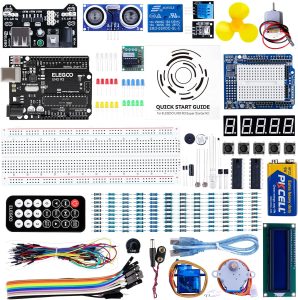
ELEGOO UNO R3 Project Super Starter…
From the brand ELEGOO STEM kits provide all the necessary components, sensors, wires, and boards for…
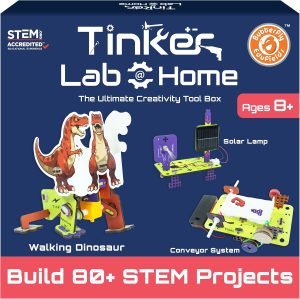
Butterfly EduFields 70+ STEM Roboti…
From the brand Best Sellers Science Kits – New Launches STEM Kit For Kids Ages 8-15…